
SAFEs & convertibles
To put a signed SAFE on your cap table, open Cap Table → Update and choose SAFEs (outstanding). Tenacap records its terms, can generate a Y Combinator post-money SAFE for signature, and converts every outstanding SAFE in your round model so you can see the result before you sign a term sheet.
A SAFE (Simple Agreement for Future Equity) is a promise to convert into shares at your next priced round, on terms agreed now. Until it converts it holds no shares: it is listed on the cap table’s Convertibles & SAFEs tab and is not part of fully diluted.
Record a SAFE
Under Cap Table → Update, in the Issue group, choose SAFEs (outstanding) (editors and admins). If the investor is not on your cap table yet, add them as a stakeholder first. The form asks for:
- Investor - the stakeholder putting in the money.
- Investment - the purchase amount, in dollars.
- Valuation cap - optional.
- Discount - optional, as a fraction (
0.20for 20%). - Cap type - Post-money (the current YC form, and the default) or Pre-money (the original YC form).
- Issue date.
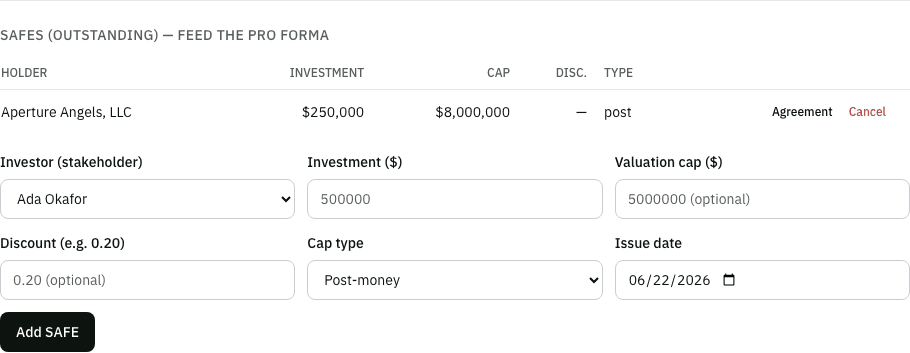
This form records SAFEs only. An import or a connected assistant can also bring in a SAFE with a most-favored-nation (MFN) term, which this form does not offer.
Record a convertible note
Next to the SAFE form, Convertible notes (outstanding) records a note the company has issued: the principal, an annual simple-interest rate, a day-count basis (Actual/365, Actual/360 or 30/360), an optional valuation cap and discount, a maturity date, and the issue date. Until now only an import could put a convertible note on the cap table; this form and the equivalent assistant tool are the manual-entry path.
A note holds no shares until it converts, the same as a SAFE, and it is listed on the Convertibles & SAFEs tab alongside your SAFEs. Interest accrues from the issue date at the recorded rate and basis; recording the note shows what has already accrued as of today, and the priced-round close accrues it the rest of the way to the close date before converting principal plus interest. Tenacap does not yet model what happens if a note reaches its maturity date unconverted (repayment or extension), or an MFN term on a note; both are handled by hand for now.
A note can also carry a change-of-control multiple: what it repays if the company is sold before the note converts, as a multiple of principal plus interest (“1.5” for 1.5×). At a sale the holder gets the greater of that repayment or converting at the cap, and the exit waterfall shows which it chose. Leave it blank and 1× is assumed. Edit terms on a recorded note corrects its multiple, cap, discount, interest rate or maturity date, which is how an imported note gets its multiple; principal, holder and issue date are corrected by cancelling the note and recording it again.
A note’s cap is either pre-money or post-money, and the note says which. Pre-money divides the cap by the company’s fully diluted shares before the notes and SAFEs convert. Post-money counts their conversion shares too, the way a post-money SAFE does, so the note owns its principal plus interest over the cap of the company (5% for $265,000 on a $5.3M cap) and converts into more shares. Set it with Cap is when you add the note or under Edit terms. A note that does not say, which includes every imported note, is treated as pre-money, and the exit waterfall and the round close say “pre-money assumed” so you can check it.
Either way, a note’s fully diluted count includes the option pool. In a priced round that means the unissued pool and the increase the round makes to it; at a sale, the unissued pool. That is how the standard note form (the Angel Capital Association’s model convertible note) defines it, and it is the opposite of a post-money SAFE, which leaves the round’s increase out. A bigger count means a lower cap price, so the note converts into more shares. If your note leaves the increase out, set Round’s pool increase in the count to Left out under Edit terms. Until you set it, the pro forma and the round close say the increase was included as an assumption.
Every outstanding note is listed under Cap Table → Structure → Convertible notes, grouped by note issue, with Edit terms on each; a holder’s page links straight to it. Tenacap treats notes as one issue when their cap and its basis, discount, interest rate, maturity date and change-of-control multiple all match (a rolling close issues on several dates, so the date is not compared). Before you save, the form says how many holders the change reaches and applies it to the whole issue; untick the box to change one holder’s note only. Each note keeps its own entry in the change log.
A SAFE’s terms are corrected the same way, under Cap Table → Structure → SAFEs: its valuation cap, discount, whether it is the post-money or pre-money form, and its MFN and pro rata rights. Investment, holder and date are corrected by cancelling the SAFE and recording it again. The edit changes the one SAFE unless you tick the box to change every SAFE with the same terms; two SAFE rounds at the same cap look alike, so that box starts unticked.
How a SAFE converts
At a priced round, each SAFE converts at the lowest of the prices its terms allow, which is the one most favorable to the investor:
- Cap price - the valuation cap divided by the company’s capitalization (below). Only a SAFE with a cap has one.
- Discount price - the round price less the discount. Only a SAFE with a discount has one.
- Round price - always a candidate, so a cap above the round valuation never binds and the SAFE converts at the round price, as the YC form says. A SAFE with neither a cap nor a discount converts at the round price.
The shares a SAFE becomes are its investment divided by that price, rounded down to a whole share.
Generate a YC post-money SAFE
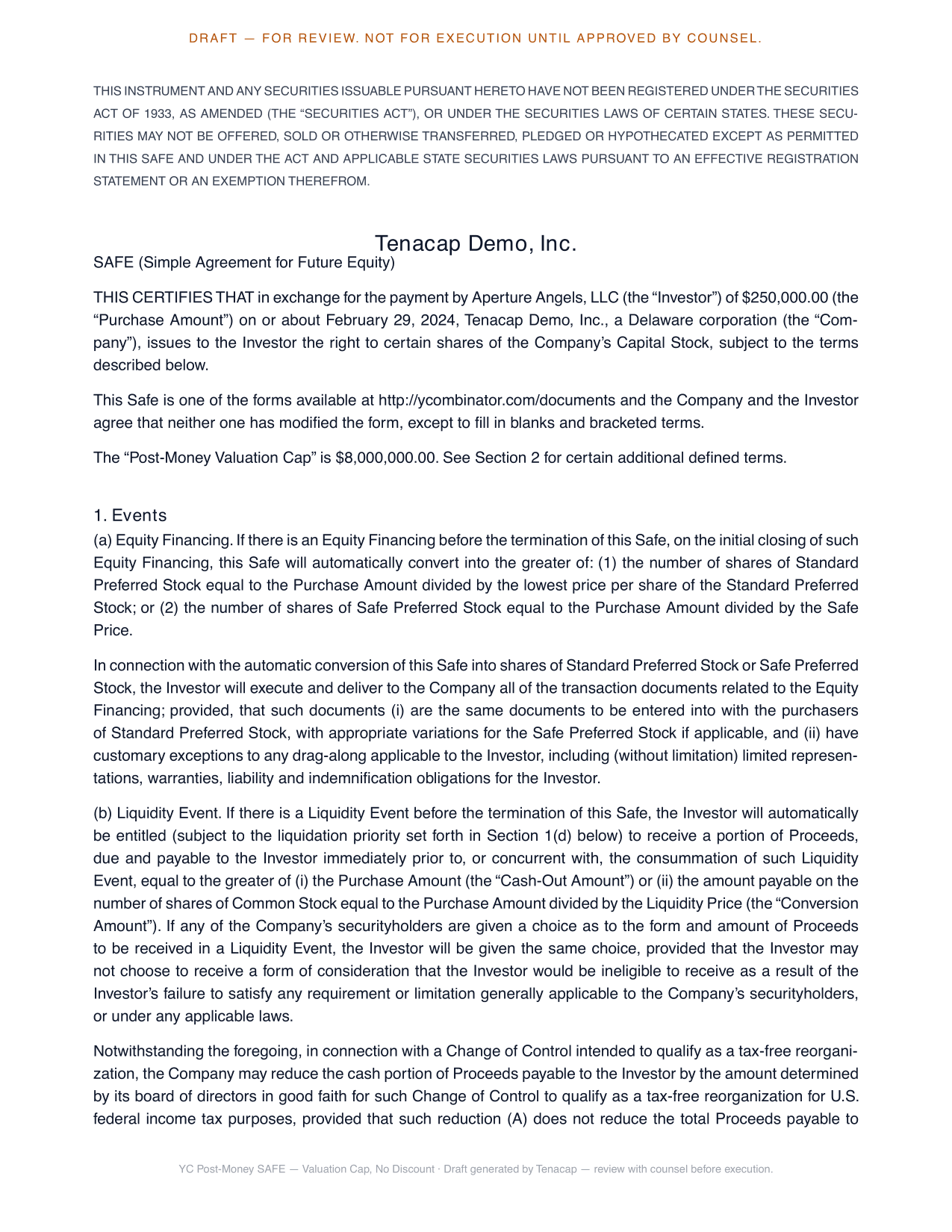
If the SAFE is not papered yet, Tenacap can generate it from the official Y Combinator post-money form, with your company name, state of incorporation, investor, amount, cap, discount and date filled in. The legal body is the unmodified YC text. Four variants are available:
- Valuation Cap, No Discount
- Discount, No Valuation Cap
- Valuation Cap and Discount
- MFN, No Valuation Cap or Discount - for an MFN SAFE recorded with neither a cap nor a discount.
Click Agreement on the SAFE’s row to preview the PDF. A pre-money SAFE, and a SAFE with no cap and no discount that is not MFN, can be recorded but has no generated document.
Send it for signature
From the same Agreement panel, request the investor’s signature. The investor gets an email with a signing link, and the executed copy comes back sealed with a signature certificate you can download. The full flow is in Documents & e-signature.
How SAFEs feed scenarios
The round pro forma in scenario modeling starts with a row for every outstanding SAFE, and each converts on its own terms as described above. You see what each SAFE turns into, how the new money dilutes everyone, and where the founders land. When the round closes, recording it converts the SAFEs and notes you tick.
Where a converted holding came from
Once a SAFE or note converts, either when you record a priced round or in an imported cap table where it already converted, the resulting preferred shares show their lineage. On the shareholder’s page each holding names the SAFE or note it converted from, so you can trace any block of preferred back to the original instrument. Pulley imports bring these conversions in, and each note links to the certificate it became.