
ASC 718 stock-comp report
ASC 718 requires you to value the options you grant and expense that value over the period your team earns them. Tenacap values each option grant with Black-Scholes, spreads the cost straight-line over its vesting schedule, and keeps the dated inputs it used, so the same records give the same numbers when your accountant or auditor asks later.
To produce a stock-comp expense schedule: have an admin record an assumption set, make sure each grant date is covered by a valuation, then open Compliance & Tax → ASC 718 and download the CSV. The report is for C-corps and is read-only; the booking decisions stay with your finance team.
What the report does
For each option grant on your cap table, Tenacap:
- measures the grant-date fair value per option with the Black-Scholes-Merton model;
- uses as the share price the fair market value in effect on the grant date (a 409A appraisal or a board determination, whichever is on record; see 409A valuations), and the assumption set in effect on that same date;
- recognizes the total cost straight-line month by month over the vesting schedule attached to the grant, starting from the schedule’s start date. A grant with no vesting schedule is expensed in full on its grant date; and
- handles forfeitures as they happen (ASU 2016-09): when an unvested grant is cancelled, the expense is trued up to the vested portion, reversing what was booked for the rest.
Record an assumption set
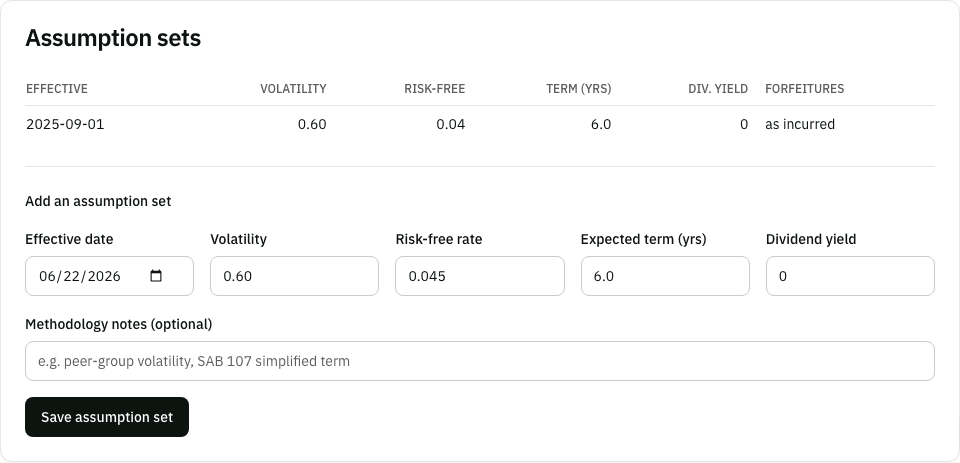
Black-Scholes needs inputs beyond the share price and strike. Those are judgement calls you make with your accountant. Tenacap stores them as an assumption set, an effective-dated record of:
- Volatility: expected annual volatility, as a decimal (
0.60for 60%). - Risk-free rate: the annual rate, as a decimal (
0.045). - Expected term: the expected life of the options in years (often the SAB 107 simplified term).
- Dividend yield: usually
0for a startup. - Methodology notes (optional): where the numbers came from, for example a peer group for volatility.
Only an Admin can add a set, from the Assumption sets card on the report. Each grant uses the set whose effective date is the latest one on or before its grant date. To change an assumption, add a new set with a later effective date; older grants keep the set they were valued under. The forfeiture method is fixed at “as incurred”.
Open the report
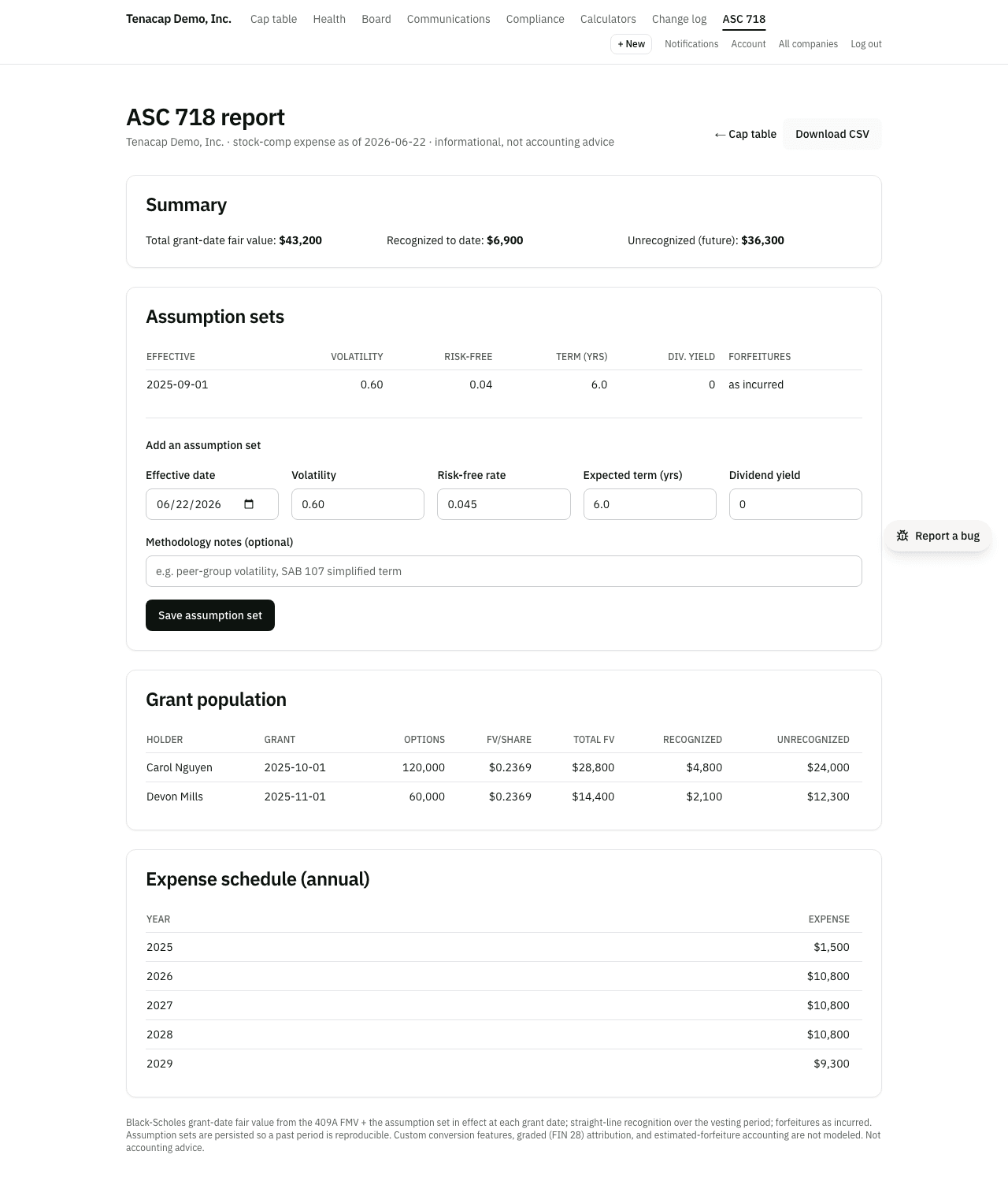
Go to Compliance & Tax → ASC 718 in the left navigation, or follow ASC 718 report from the Compliance page. The navigation item shows for editors and admins. The report starts with a summary as of today: total grant-date fair value across all valued grants, the amount recognized to date, and the amount still unrecognized.
Reading the schedule
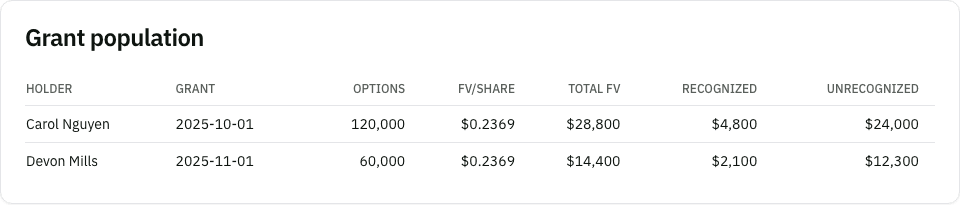
- Grant population: one line per grant with holder, grant date, options, fair value per share, total fair value, recognized and unrecognized. A cancelled or expired grant is marked (forfeited).
- Expense schedule (annual): recognized expense per calendar year, the figure that flows to your income statement. A year can be negative when a forfeiture reverses earlier expense.
- Excluded grants: any grant the report could not value, with the reason.
Excluded grants
A grant that cannot be valued is listed with one of two reasons:
- No 409A FMV in effect at the grant date: no active valuation, of any method, covers that day.
- No ASC 718 assumption set in effect at the grant date: no set has an effective date on or before the grant.
Record the missing valuation (a board determination counts), or have an admin add an assumption set with an early enough effective date. The grant moves into the population the next time the page loads.
Download the CSV
Download CSV in the report header exports the grant population: holder, grant date, options, fair value per share, total fair value, recognized to date, unrecognized, and whether the grant was forfeited. Use it for journal entries and audit support. The same file is in the diligence pack. For other exports, see Export & open schema.
What it does not model
The report covers plain options, straight-line attribution and forfeitures as incurred. Talk to your accountant about any of these:
- Graded attribution (each vesting tranche expensed over its own period, ASC 718-10-35-8(a)), which front-loads the cost.
- Estimated forfeitures, the alternative to recognizing them as they happen.
- Modifications, such as a repricing or a change to vesting. Tenacap does not measure incremental cost.
- RSUs and restricted stock. Only option grants are in the report.
- Performance or market conditions, and lattice or Monte Carlo valuation.
- The forfeiture date. A reversal is dated when the cancellation was recorded in Tenacap, not the employee’s last day. Record cancellations promptly, or adjust the timing with your accountant.