
Exit waterfall
When you sell the company, the proceeds don’t split by ownership percentage - preferred investors get paid first, on the terms they negotiated. The exit waterfall takes an acquisition value and works out who walks away with what, so you can answer that question before you sign a term sheet.
Preferred shareholders almost always have a liquidation preference - a right to be paid back first, often a multiple of what they put in - before common shareholders see a cent. The exit waterfall runs that whole payout, in order, for an exit value you choose. Like scenario modeling, it’s a private projection: it reads your live cap table and writes nothing.
Open the waterfall
Open Cap Table → Model and pick Exit waterfall, or click Exit waterfall at the top of the cap table. Anyone who can view the cap table can run it.
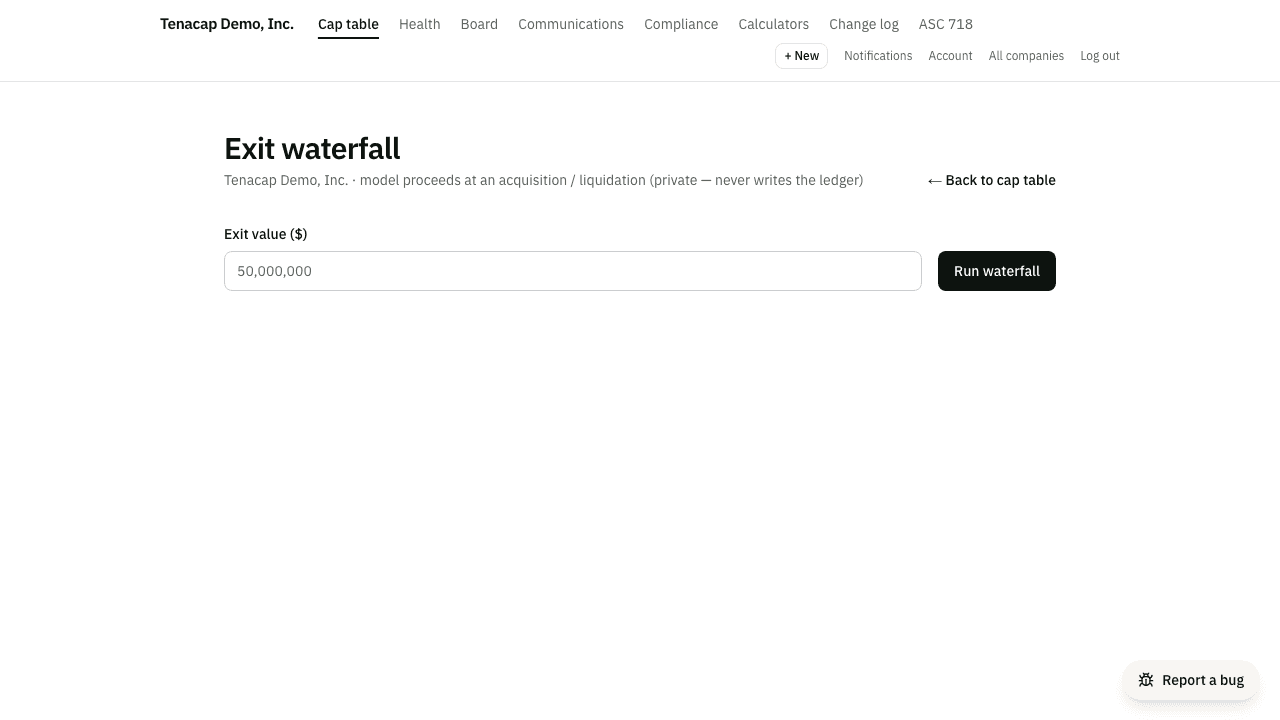
Enter an exit value
There’s a single input: the exit value - the total proceeds from the acquisition or liquidation, in dollars. Type a number (commas and a dollar sign are fine, for example 50,000,000) and press Run waterfall. The calculation runs over a snapshot of your company as it stands today, so change the number and run it again as often as you like.
How preferences stack
Preferences are paid senior first. Each preferred class has a seniority number, and a higher number is paid first: the most senior tier is paid its full preference before the next tier sees anything, down to common, which is last. Classes with the same number form one tier, and if the money runs short within a tier it is split pro rata by the size of each class’s preference.
Any SAFE or convertible note still outstanding at exit (not converted in a priced round) is folded into the same stack: it takes whichever is greater, its cash-out or converting to common at its valuation cap. A SAFE’s cash-out is its purchase amount. A note’s is its principal plus accrued interest times its change-of-control multiple: a note that pays 1.5× on a sale is owed one and a half times principal plus interest, or converts at its cap if that is worth more. Converting still converts principal plus interest; the multiple applies only to repayment. The order is fixed: note cash-outs first, as debt; then the preferred preferences; then SAFE cash-outs; then common.
Set a note’s multiple when you record it under Cap Table → Update → Convertible notes (outstanding), or later with Edit terms on the note under Cap Table → Structure → Convertible notes, once for the whole note issue (an imported note never has one, because no export carries it). With no multiple recorded the waterfall uses 1× and says so on the note’s line.
Converting at the cap depends on whether the note’s cap is pre-money or post-money. A pre-money cap is divided by the shares before the notes and SAFEs convert; a post-money cap counts their shares too, through the same count a post-money SAFE uses below, so the note converts into more shares. A note that does not record which is treated as pre-money, and its line says “pre-money assumed”. Set it with Edit terms on the note. Unlike a SAFE’s, a note’s count at a sale includes the unissued option pool, as the standard note form defines it, so the note converts into more shares than a SAFE with the same cap would.
A post-money SAFE converts at its cap divided by the company’s Liquidity Capitalization (YC post-money SAFE §2): the shares issued, the options and warrants outstanding, the SAFE’s own shares and those of any other SAFE or note that converts too, but not the unissued option pool. So a $500,000 SAFE at an $8,000,000 cap converts into 6.25% of that count at a sale. Tenacap does not yet take preferred stock that is taking its preference, or cash-settled SARs, out of the count, so where a company has either the figure can differ slightly. The count at a sale can also be fewer shares than the same SAFE takes in a priced round, whose Company Capitalization does count the pool; the exit tab and the pro forma tab therefore show different share counts for the same SAFE, on purpose.
A class’s preference is its liquidation-preference multiple times the amount invested in it: each outstanding lot’s price per share times its shares, summed across the class. A 1× preference returns the investment; a 2× preference returns twice it. Shares a convertible note converted into count what the note converted: its principal and the interest it accrued up to the conversion date, which the class’s math line shows separately. You set these rights - seniority, multiple, participation - on the preferred class itself when you record a priced round. Voting-only or non-economic classes are left out of both the preference stack and the residual.
Convert or take
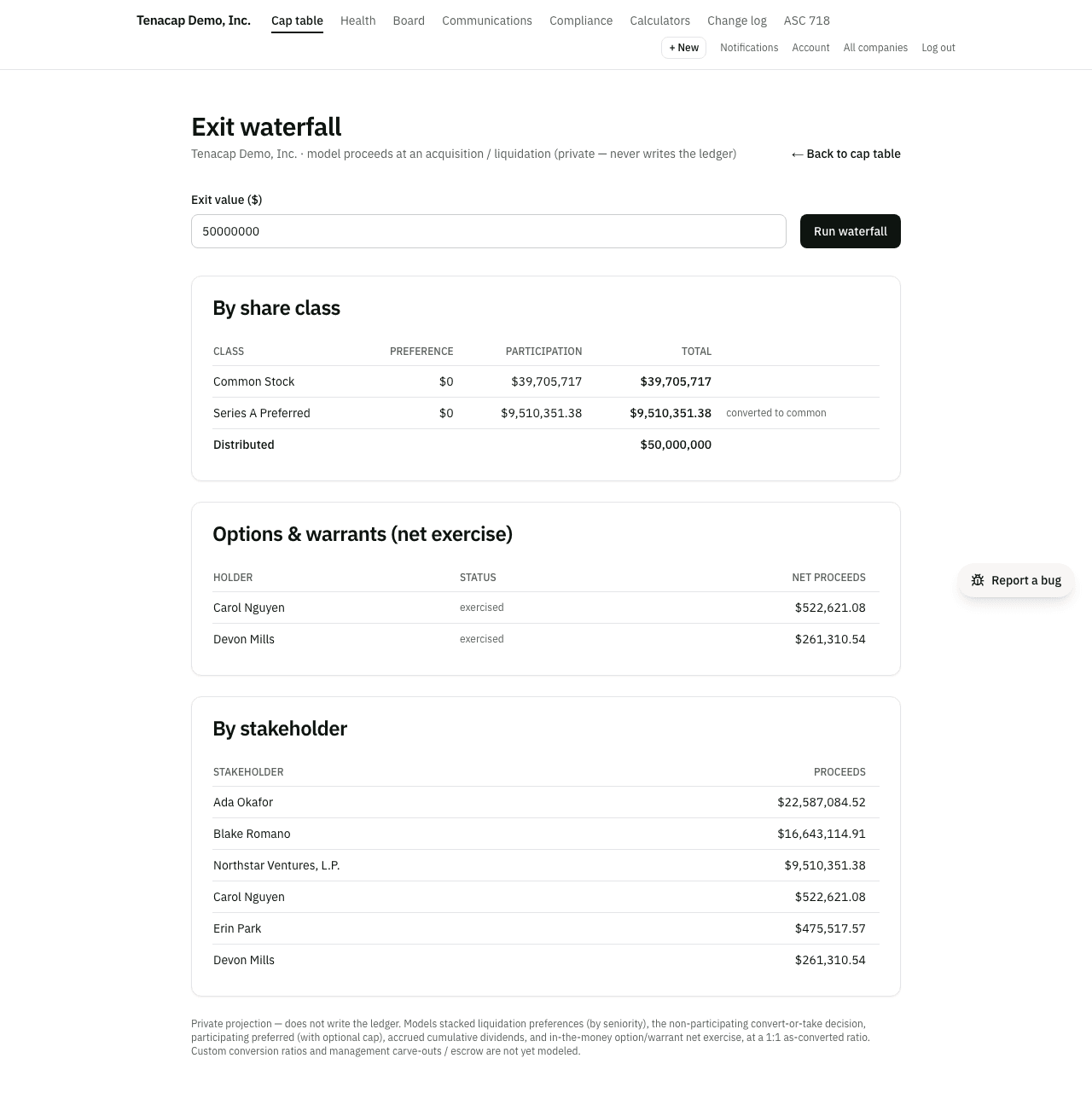
Non-participating preferred face a choice the waterfall makes for them: take the liquidation preference, or give it up and convert to common to share in the residual - whichever pays more. At a low exit value the preference wins. At a high enough value, the as-converted common stake is worth more than the preference, so the class converts. The model resolves every class’s decision together (one class converting changes the maths for the others) and shows a converted to common note next to any class that chose to convert.
Participating preferred & caps
Participating preferred take their preference and then also share in the residual pro rata with common, as if they hadn’t been paid the preference at all (“double dip”). To keep that in check, a participating class can carry a participation cap - a ceiling on its total return, expressed as a multiple of what it invested. When the cap would bite and converting to common pays more, the class converts. The results split each class’s payout into a preference column and a participation column so you can see where the money came from.
Options, warrants & dividends
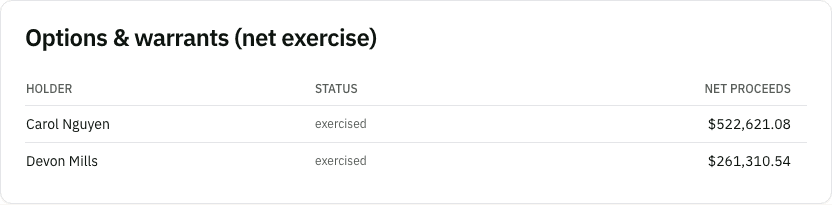
Outstanding options and warrants participate by net exercise. An in-the-money grant exercises: it adds its shares to the residual pool and its aggregate strike price into the pot, and the holder nets out the strike - they receive (per-share proceeds − strike) × shares. Out-of-the-money grants sit out. Every outstanding option counts, vested or not, as though all of it could be exercised at the exit. The unallocated pool and treasury shares receive nothing. When any grants are in the money, a separate Options & warrants table shows each holder, whether their grant exercised, and their net proceeds.
If a preferred class carries cumulative dividends, the accrued amount rides along with the preference. The waterfall accrues simple interest on each lot from its issue date to the exit at the class’s dividend rate, and pays it out senior alongside the preference. Like the preference itself, those accrued dividends are forgone if the class converts to common.
Reading the results
You get several views of the same payout:
- Order of payout - at the top, the exit value in the order it is paid: first the notes that are repaid, next the preferred preferences, next the SAFEs that cash out, then the residual shared by equity holdings (common, preferred that converted, participating preferred, converted SAFEs and notes, and in-the-money options). Each step shows the dollars it took, and what it was owed when the money ran out first. The steps add up to the exit value.
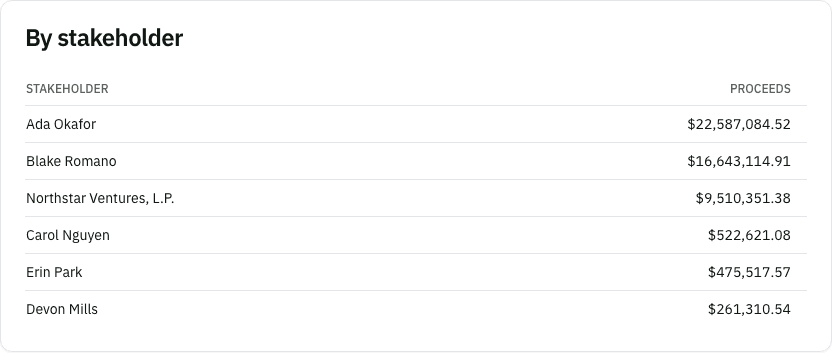
- By stakeholder - right below it, every person or entity’s total, largest first. Hover over or tap a name to see how it adds up, one line per holding: for example 200,000 shares of common at the price per share, a note repaid at 1.5× (principal plus interest), a preference of 1× the amount invested, or an option netted of its exercise price (or $0 when out of the money). The lines add up to the holder’s total to the cent. Each line, and the holder in total, also shows what was invested and the return, the payout divided by it (“returned 2.35× (235% of invested)”): shares and preferred at the price paid, a SAFE’s purchase amount, a note’s principal. An option, a warrant or a phantom award put nothing in, so it shows a dash in place of an amount and a return. The table ends with a total checked against the exit value you entered: a check mark when they match, and the difference in red if they ever do not. An amount that is paid but not credited to anyone (a phantom award whose plan does not say how a unit is valued) gets its own labelled row.
- By share class - each class’s preference, participation, and total, with a converted-to-common flag, footed by the total distributed.
- SAFEs & convertible notes - shown only when you have outstanding convertibles, this lists each one’s holder, type, whether it settled by cash-out or by converting to common, what it would be owed if repaid, and what it was paid, with a total row for both.
- Options & warrants - the net-exercise breakdown, shown only when at least one grant is in the money.
How each line was calculated
Click a class or convertible’s name to open its math. A preferred class shows the terms used (multiple, participating or not and any cap, seniority), its preference worked out (multiple × amount invested, plus accrued dividends), and what it would get keeping the preference against converting to common. A SAFE or note shows its repayment figure (for a note: principal, interest to today, and the multiple) against its as-converted value (shares at the cap times the price per share in the residual), and which one won.
Where a term was assumed and not recorded, the line says so: a note with no change-of-control multiple (1× used), or a SAFE or note with no valuation cap (it can only be repaid). Correct the record and run the waterfall again.
Terms this model is using
The results open with every term the figures are computed on. Each preferred class gets one line: its liquidation preference multiple, participating or not (and any cap), its dividend, its antidilution protection, its seniority, whether it takes its preference or converts at this exit value, and where the terms came from: confirmed from your charter (with who confirmed them and when, or the document they were read from), read from your imported file, or assumed. Each note issue (notes on identical terms) gets one line: the principal, interest, the valuation cap and whether it is pre- or post-money, any discount, the change-of-control multiple, and whether the model repaid the notes at that multiple or converted them at the cap. SAFEs on the same terms share a line the same way. Every line links to the page where its terms are entered, so a wrong term is one click from its fix.
Terms Tenacap assumed
A preferred class has five terms the waterfall reads: its liquidation preference multiple, whether it participates (and any cap), its dividend, its antidilution protection and its votes per share. They come from your certificate of incorporation. When nothing you gave Tenacap stated one, Tenacap filled it in: a 1x preference, non-participating, no dividend, no antidilution protection and one vote per share. That happens on every Pulley import (Pulley’s export carries no class terms), on a Carta import for whatever its ledger sentence leaves out (it never states participation), and for a preferred class added without its terms.
Tenacap does not treat those as known. In Terms this model is using above the results, each class with an assumed term says which ones, with an Enter from your charter link. Each class’s line says the same, with a Check these terms link to the class’s page. There you can enter the terms from your charter, or, if the values shown are right, press These terms are right once. Either way the class stops being marked as assumed everywhere: here, on the overview’s Needs attention list, on the cap table and on the import report. Recording a term here does not amend your charter.
For a forward-looking view of a financing, see scenario modeling. For the underlying figures in an open format, see Export & open schema.